How We Automated the Invoicing Process for Energielabel-Oké with a Custom Moneybird Integration

Client: Energielabel-Oké
Solution Provider: StepUp Analytics
Industry: Energy Label Assessment | Professional Services
Technology: Node.js, Express.js, MongoDB, GoHighLevel API, Moneybird API
Services: Backend Development, API Integration, CRM Automation, Invoice Automation, Business Process Automation
Project Overview
Energielabel-Oké provides energy-label assessment services for residential and commercial properties across the Netherlands.
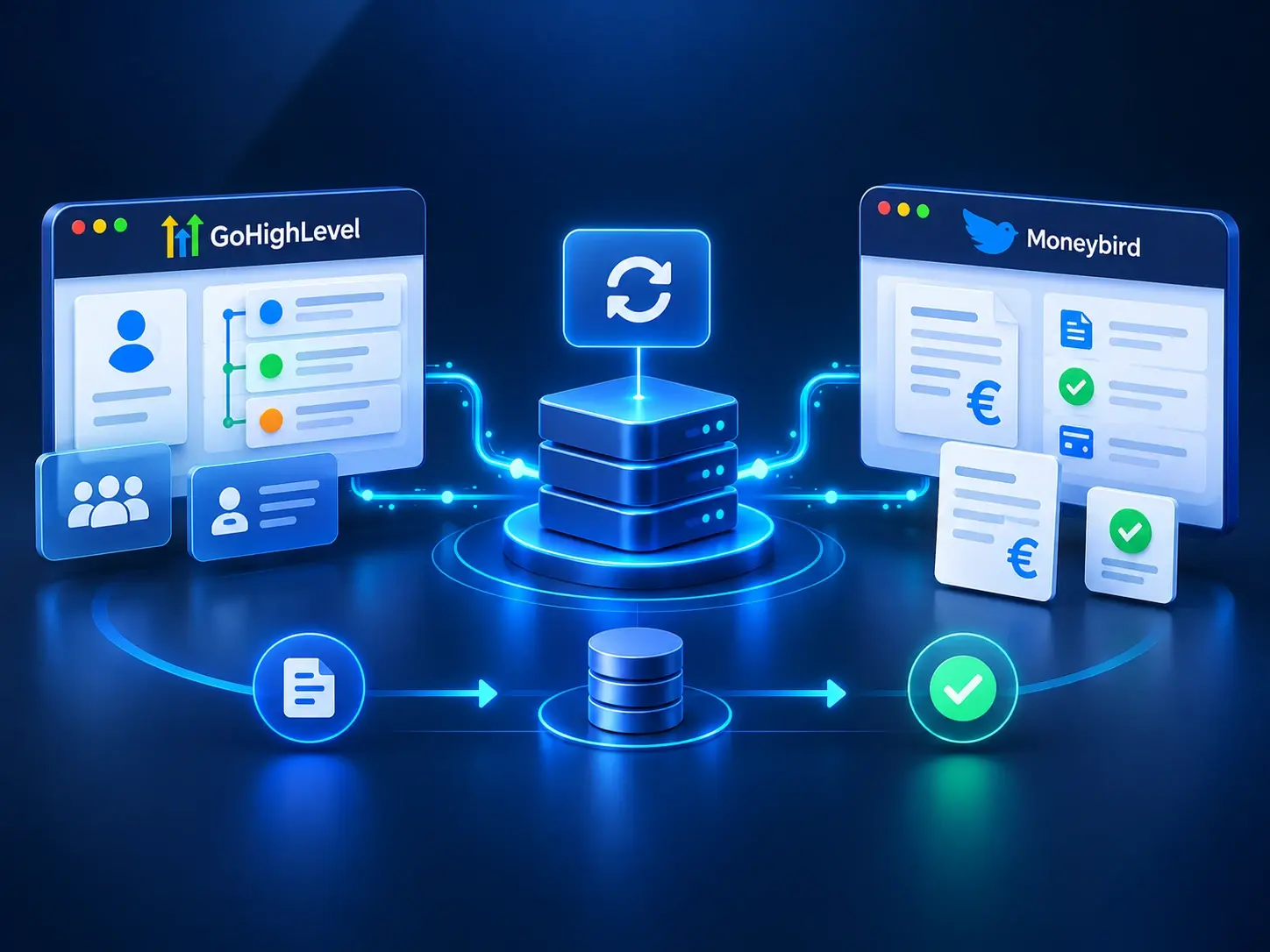
As the business grew through Google Ads, Meta campaigns, and partner referrals, more of its day-to-day operations began running across two separate platforms. GoHighLevel (GHL) handled leads, customer relationships, and sales opportunities. Moneybird was used for financial administration, including estimates, invoices, and payment records.
Both platforms did their jobs well, but they didn't share information automatically. Moving a customer from a sales opportunity to an estimate or invoice still involved manual work. Financial updates also had to be reflected in the CRM by hand.
We saw an opportunity to connect these processes rather than add another tool to the mix.
StepUp Analytics built a custom backend integration between GoHighLevel and Moneybird. It coordinates customer records, prepares financial documents, and synchronizes estimate, invoice, and payment updates back to the CRM.
One important decision shaped the entire implementation: automate the repetitive work, but keep financial documents under human review. The system prepares the documents and gives the operator the context needed to check them. It doesn't automatically send or approve them.
The Problem: Two Systems, One Manual Workflow
Before the integration, creating an estimate or invoice meant moving between GoHighLevel and Moneybird.
When an opportunity reached the billing stage in GoHighLevel, an employee had to open Moneybird, find the customer, create a contact if one didn't already exist, and prepare the relevant financial document.
The work didn't stop there. When an estimate was sent or accepted, or an invoice was paid, those changes weren't automatically reflected in GoHighLevel. Someone had to update the opportunity manually.
This created a few recurring problems.
Repetitive data entry
Names, email addresses, phone numbers, and customer addresses had to be transferred between applications. It was straightforward work, but it took time and offered little value to the person doing it.
Inconsistent customer records
Manual entry made it easier to introduce formatting differences, use outdated contact details, or create duplicate contacts.
Limited financial visibility in the CRM
The sales and operations teams couldn't reliably see the latest financial status of an opportunity in GoHighLevel. They often had to check Moneybird separately.
Manual document preparation and follow-ups
Creating estimates, preparing invoices, and updating pipeline stages all required employee involvement, even when the underlying information was already available in another system.
A workflow that became harder to manage as volume grew
As the number of incoming leads increased, so did the administrative effort required for each customer. The process depended too heavily on people keeping two platforms in sync.
The issue wasn't that either application was inadequate. The problem was the gap between them. Energielabel-Oké needed an integration that could coordinate customer information and financial events while keeping the existing tools and approval process intact.
The Approach: A Custom Backend Between GoHighLevel and Moneybird
We built a centralized integration layer using Node.js, Express.js, and MongoDB.
Rather than connecting the platforms with a collection of isolated automations, we used a backend to manage the workflow and keep track of the relationship between CRM opportunities and Moneybird records.
The process works in both directions:
- GoHighLevel sends workflow events to the backend when an opportunity reaches a relevant stage.
- The backend validates the event, processes the associated customer and opportunity data, and communicates with Moneybird through its REST API.
- Moneybird sends webhooks when financial documents change state.
- The backend verifies those events and updates the corresponding GoHighLevel opportunity.
We built the integration around four practical requirements:
- Automate repetitive work: Customer lookup, document preparation, and routine CRM updates should happen without manual data transfer.
- Keep records connected: The system needs to know which Moneybird contact, estimate, and invoice belong to each GoHighLevel opportunity.
- Handle repeated events safely: Duplicate webhook deliveries and repeated workflow triggers shouldn't create duplicate records or documents.
- Preserve human oversight: Financial documents should be prepared automatically but reviewed by an operator before being sent.
That last point matters. Automating invoice preparation doesn't mean removing the checks that protect a business from incorrect customer details, pricing, or VAT information.
How the Workflow Works
The integration follows the customer from the estimate stage through invoice preparation and payment. Here's how the main parts fit together.
1. Finding or Creating the Customer in Moneybird
The workflow starts when an opportunity reaches the designated estimate stage in GoHighLevel. GHL sends a webhook to our backend with the relevant opportunity information.
The backend validates the incoming request and checks whether the customer already exists in Moneybird.
We use a find-or-create approach:
- Search Moneybird using the customer's email address.
- If no matching contact is found, search using the phone number.
- Reuse the existing contact when a match is found.
- Create a new Moneybird contact only when no matching contact exists.
- Store the Moneybird contact ID against the original GoHighLevel opportunity.
This avoids repeatedly creating the same customer and gives the integration a persistent link between the two systems.
That link becomes important later. When Moneybird sends an update about an estimate or invoice, the backend needs to know exactly which CRM opportunity should receive it.
2. Preparing the Estimate
Once the customer has been synchronized, the backend creates a draft estimate in Moneybird.
It also pulls relevant information from the GoHighLevel opportunity and customer notes. This context is transferred into Moneybird, where a structured review task is created for the financial operator.
The task provides a checklist covering:
- Reviewing the customer and opportunity information.
- Selecting the appropriate services.
- Setting and checking the pricing.
- Verifying VAT and other financial details.
- Sending the estimate to the customer.
The goal isn't to make the financial operator irrelevant. It's to remove the time spent gathering information and preparing the initial document, so the operator can focus on checking the details that actually matter.
3. Keeping Estimate Status in Sync
After the estimate has been prepared, its status can change in Moneybird. For example, it may be sent to the customer or accepted.
Moneybird sends a webhook when these events occur.
Our backend then:
- Verifies the webhook signature.
- Checks whether the delivery has already been processed.
- Retrieves the latest estimate state directly from Moneybird.
- Finds the related GoHighLevel opportunity.
- Updates the opportunity to reflect the financial progress.
This means the CRM pipeline can follow what is happening in Moneybird without an employee having to update it manually.
It also means the backend doesn't rely solely on the information contained in the webhook. It checks the current document state before making the CRM update.
4. Creating the Invoice from an Accepted Estimate
When an estimate has been accepted and the opportunity reaches the designated invoice stage, the backend retrieves the associated integration record.
Before creating anything, it checks that the original estimate is actually in the accepted state.
It then uses Moneybird's native bill_estimate API endpoint to convert the accepted estimate into a draft sales invoice.
Using the original estimate is deliberate. It preserves the approved line items, pricing, and VAT configuration instead of reconstructing the invoice from scratch. That reduces the chance of differences appearing between what the customer accepted and what gets invoiced.
Just as with the estimate, the integration creates a structured invoice review task in Moneybird. The operator can check the customer, services, pricing, and VAT details before sending the document.
The automation handles preparation. The operator remains responsible for reviewing and sending the invoice.
5. Synchronizing Invoice and Payment Updates
The workflow continues after invoice creation.
Moneybird sends webhook notifications when an invoice is sent or marked as paid. Our backend processes these events and updates the associated GoHighLevel opportunity.
The CRM can reflect the main financial stages:
- Estimate Sent
- Estimate Accepted
- Awaiting Payment
- Payment Received
The invoice's monetary value is also synchronized from Moneybird into the corresponding opportunity.
This gives the sales and operations teams a more useful view of the customer lifecycle. They can see the opportunity's financial progress in the CRM instead of repeatedly switching between applications to find out what happened.
Technical Implementation
The main engineering challenge wasn't making one API call to Moneybird or receiving a webhook from GoHighLevel. It was making sure the two platforms could exchange information reliably over the full lifecycle of a customer and their financial documents.
We separated the integration into layers for incoming requests, business logic, external API communication, database operations, and security validation.
Technology Stack
- Backend runtime: Node.js
- API framework: Express.js
- Database: MongoDB
- ODM: Mongoose
- CRM integration: GoHighLevel API
- Accounting integration: Moneybird REST API
- Input validation: Zod
- Webhook security: HMAC-SHA256
- Testing: Node.js built-in test runner
- Email infrastructure: AWS SES
Maintaining Relationships Between the Two Platforms
A central part of the design is a dedicated MongoDB integration record for each relevant relationship between a GoHighLevel opportunity and its Moneybird entities.
The record stores references to:
- GoHighLevel contact and opportunity IDs.
- Moneybird contact IDs.
- Moneybird estimate IDs and their states.
- Moneybird sales invoice IDs and their states.
- Financial document timestamps.
- Processed webhook delivery IDs.
This persistent mapping gives the backend a reliable way to identify the right record when an event comes from either platform.
For example, when Moneybird reports that an estimate has been accepted, the backend can use the stored relationship to find the correct GoHighLevel opportunity. It doesn't need to guess based on customer names or repeat a manual search.
Preventing Duplicate Operations
External platforms can retry requests. Webhooks may be delivered more than once, and workflow triggers can sometimes run repeatedly.
Without safeguards, that could result in duplicate contacts, estimates, invoices, or review tasks.
We addressed this with idempotency checks throughout the integration.
Before creating an estimate or invoice, the backend checks whether the corresponding document has already been created. It also stores processed Moneybird webhook delivery IDs in MongoDB, allowing it to recognize and skip duplicate deliveries.
This is particularly important for financial workflows. A repeated event should not accidentally create another invoice for the same opportunity.
Securing Webhook Communication
The integration also needs to establish that incoming webhook requests are legitimate before acting on them.
We use different authentication mechanisms for the two platforms:
GoHighLevel
Incoming GoHighLevel webhook requests use Bearer token authentication.
Moneybird
Moneybird webhooks are verified using HMAC-SHA256 signatures. The implementation includes:
- Checking the signature against the original request body.
- Enforcing a 300-second timestamp window to reduce replay attacks.
- Using timing-safe signature comparison.
- Supporting multiple signature values during secret rotation.
On top of signature verification, the backend validates incoming CRM payloads with Zod and checks the configured GoHighLevel location before processing a request.
Verifying Financial States Before Updating the CRM
One design decision worth highlighting is that we don't treat a webhook notification as the definitive source of a document's current status.
When Moneybird reports an estimate or invoice event, the backend fetches the current document state directly from Moneybird before updating GoHighLevel.
Why add another API call? Because a webhook tells us that an event occurred, but the backend still needs to confirm the current state of the document. This extra verification helps prevent stale or inconsistent event data from moving the CRM pipeline into the wrong stage.
The Operational Impact
The implementation automates 11 identified administrative steps across the invoicing workflow.
These include customer lookup and creation, estimate preparation, transferring opportunity context, generating review tasks, preparing invoices, synchronizing CRM pipeline stages, and updating monetary values.
The practical improvements are clear.
Less repetitive administration
Employees no longer need to repeatedly copy customer details and opportunity information between GoHighLevel and Moneybird.
More consistent customer records
The integration uses persistent platform IDs to connect customer and financial records. This reduces reliance on manual matching and repeated contact creation.
Better visibility into financial progress
Estimate, invoice, and payment events are synchronized back into the CRM. Teams can follow the financial status of an opportunity without maintaining those updates manually.
A consistent review process
Draft estimates and invoices are created with relevant business context and structured review tasks. Operators still check the financial details before sending documents.
A foundation for further automation
The backend keeps the integration logic separate from the main application and from the individual external platforms. This makes it easier to extend the system with additional workflows and integrations.
One point is worth being transparent about: although the implementation automates 11 identified administrative steps, we haven't yet measured exact time savings, invoice volumes, or return on investment. We haven't assigned financial figures to the results because doing so without measured data would be misleading.
Why We Built a Backend Instead of a Basic API Connection
A basic API connection can move data from one application to another. That can be enough for simple use cases.
This workflow needed more.
The system had to understand when a customer should be created, which opportunity belonged to which financial document, when an invoice could be generated, and how changes in Moneybird should affect the CRM. It also had to account for duplicate events, authentication, document-state verification, and the need for human review.
Those requirements are what make an integration dependable in day-to-day operations.
The backend architecture is also designed to be reusable. It follows a multi-tenant structure that already accommodates multiple client integrations. Its separated service and orchestration layers provide a foundation for adding other accounting providers and business applications without tightly coupling the core application to each one.
For this project, that meant solving Energielabel-Oké's immediate invoicing workflow while building on an architecture that can support more integrations later.
The Result: A More Connected Invoicing Lifecycle
By connecting GoHighLevel with Moneybird, we replaced a series of manual handoffs with a coordinated, event-driven workflow.
Customer information is synchronized, draft estimates are prepared with relevant opportunity context, accepted estimates can be converted into draft invoices, and financial status changes are reflected in the CRM.
The important part is that the automation follows the actual business process. It doesn't simply pass data between two APIs. It maintains relationships between records, verifies financial states, handles repeated events, and leaves document approval and sending under human control.
For Energielabel-Oké, this means less repetitive work and better visibility across sales and financial operations, without replacing the platforms the business already uses.
For businesses working with separate CRM and accounting systems, the project illustrates a practical point: the value of an integration isn't just in connecting two APIs. It's in making the workflow between them reliable.
About StepUp Analytics
StepUp Analytics builds custom backend integrations and business automation systems that connect the software businesses already rely on.
Our work includes CRM and accounting integrations, custom Moneybird API development, GoHighLevel integrations, invoice automation, and tailored backend workflows.
The focus is on solving the operational problem first, then building an integration that fits the way the business actually works.
StepUp Analytics | Custom Software Integration & Business Automation
Tell us about your project
Whether you're planning a redesign or starting fresh, we're here to help you align strategy, design, and performance. Get in touch for a free intro call. No pressure, just a focused conversation.
For more information write to us at [email protected]